Trust levels
To enforce customer transaction limits, use trust levels. Customers typically receive different trust levels based on their compliance status. Example trust levels:
- new: a customer signs up for the first time. The transaction amount is very low.
- regular: after a time-out period, the customer gets more freedom to create larger transactions.
- identified: you have verified the identification of the customer and allow them to create transactions for large amounts.
You can change a customer's trust level through the Portal or API: Update Customer
Business customers can only be linked to trust levels with business support, while non-business customers can only have private trust levels. You can verify this in the trust level details page in the Portal.
Customer entity type
The customer entity type of the trust level dictates which customers can use it.
All: can be used by both business and private customersPrivate: can be used only by private customersBusiness: can be used only by business customers
Trust level configuration
You can set the following properties per trust level:
| Property | Required? | Description |
|---|---|---|
| BuyLimit per day | required | Maximum amount in base currency to buy per day |
| BuyLimit per month | optional | Maximum amount in base currency to buy per month |
| BuyLimit per year | optional | Maximum amount in base currency to buy per year |
| LifeTime BuyLimit | optional | Maximum amount in base currency to buy for the lifetime of the customer |
| SellLimit per day | required | Maximum amount in base currency to sell per day |
| SellLimit per month | optional | Maximum amount in base currency to sell per month |
| SellLimit per year | optional | Maximum amount in base currency to sell per year |
| LifeTime SellLimit | optional | Maximum amount in base currency to sell for the lifetime of the customer |
If a transaction would exceed a configured limit, an error is returned and the transaction is aborted.
Custodian Limit
The Custodian Limit applies only to the custodian business model. It defines the maximum total crypto balance (in base currency) a customer is allowed to hold across all custodian accounts.
| Property | Required? | Description |
|---|---|---|
| Custodian Limit | optional | Maximum total custodian balance a customer can hold (in base currency) |
The Custodian Limit affects transaction types as follows:
- Buy: a customer cannot create a Buy transaction if the Custodian Limit would be reached or exceeded.
- Sell: the Custodian Limit does not block Sell transactions.
- SendInternal: the Custodian Limit of the receiver is checked; a sender cannot initiate a SendInternal if the receiver's limit would be exceeded.
- Gift: a customer cannot create a Gift transaction if the Custodian Limit would be reached or exceeded.
- ReceiveIn, SendOut, Swap: not affected by the Custodian Limit.
NOTE
Reach out to your Nexus support contact to configure trust levels for your environment.
Customize limits
Go to the trust levels settings page
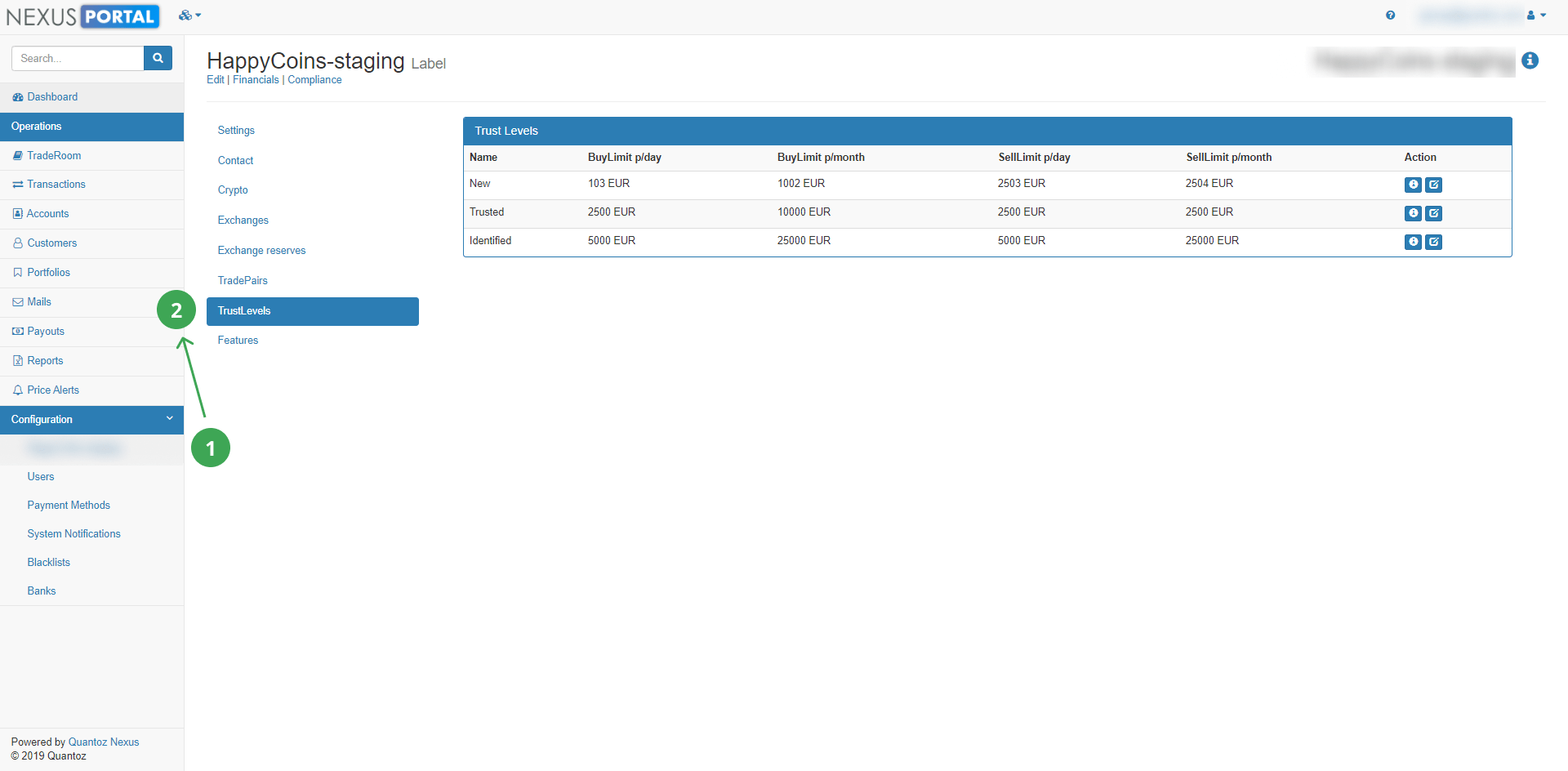
Define the daily and monthly limits for Buy and Sell transactions per customer.