Authentication
Authentication is the first step to communicating with the Nexus API. To establish communication, you must create and use a Service Account. The steps below show you how to create a Service Account and generate an authentication token. You will use this token to authorize subsequent API calls.
Create a Service Account and assign role(s)
After logging in to Nexus, click the Identity tab to switch to the Nexus Identity portal.
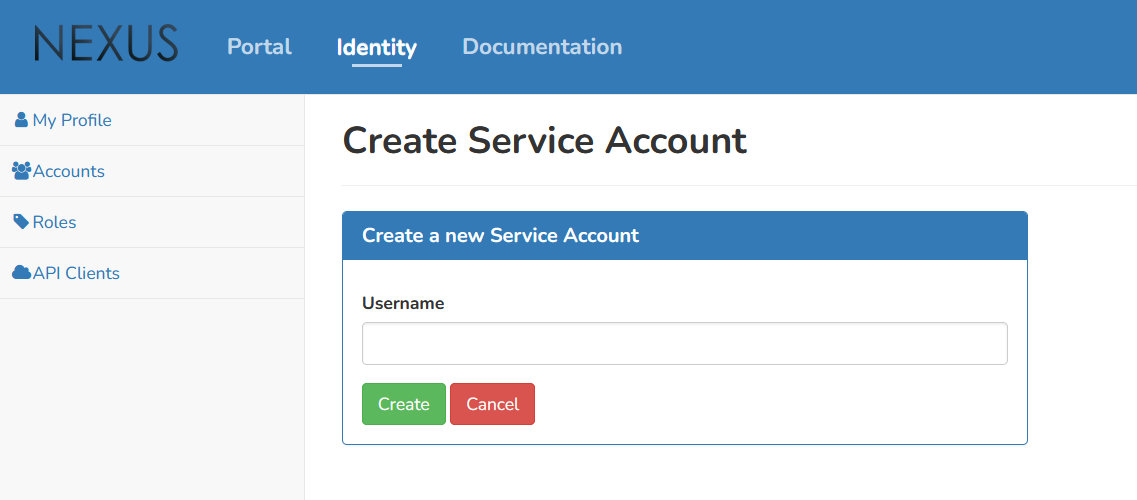
Select Accounts in the side menu and create a new Service Account.

Enter a username and select Create.
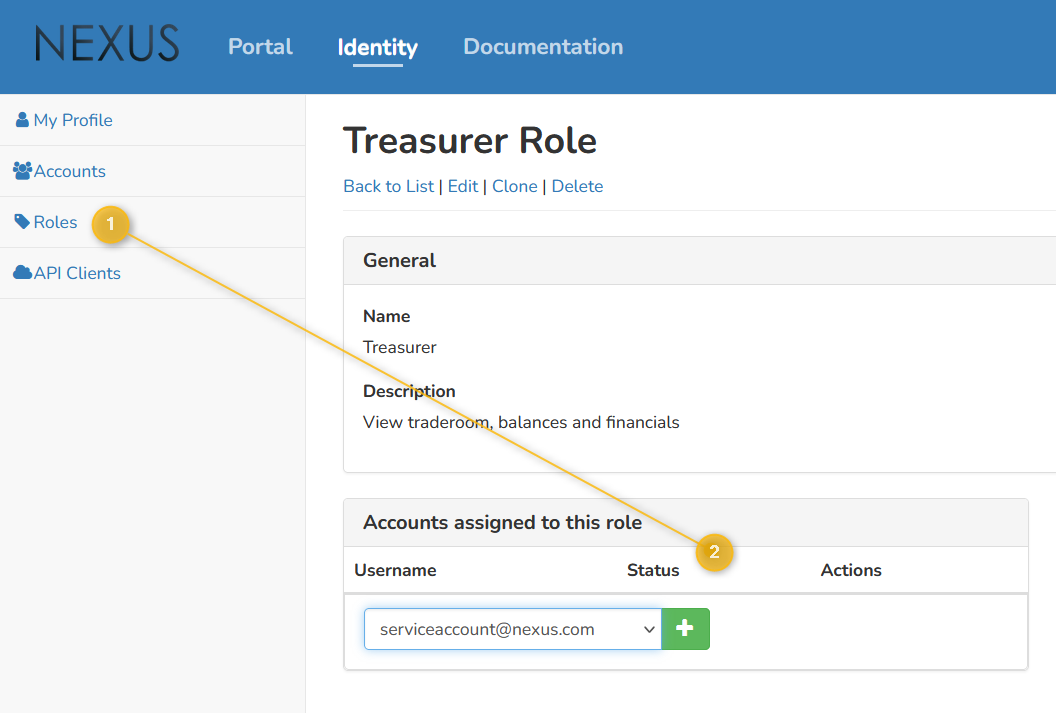
After the Service Account is created, find it in the account list and note that it has no roles assigned yet. Assign the appropriate role(s) by selecting Roles in the side menu, selecting a role, and adding the Service Account to the list of assigned accounts. For more information on available default roles or creating custom roles, refer to Knowledge base - Identity Account.
NOTE
A User Account needs specific permissions to create a Service Account, and additional validation from a separate User Account may also be required.
Create an authentication token using your Service Account
After creating your Service Account, you can use it to generate an authentication token. If you are not logged in to Nexus yet, do so now, then click the Identity tab to switch to the Nexus Identity portal.
Select Accounts in the side menu and search for the Service Account you want to use. Make sure it has the appropriate roles and permissions.
Request an authentication token by selecting Manage API Keys from the Actions dropdown for your Service Account. Enter an identifier and a suitable expiry date, then select Generate.
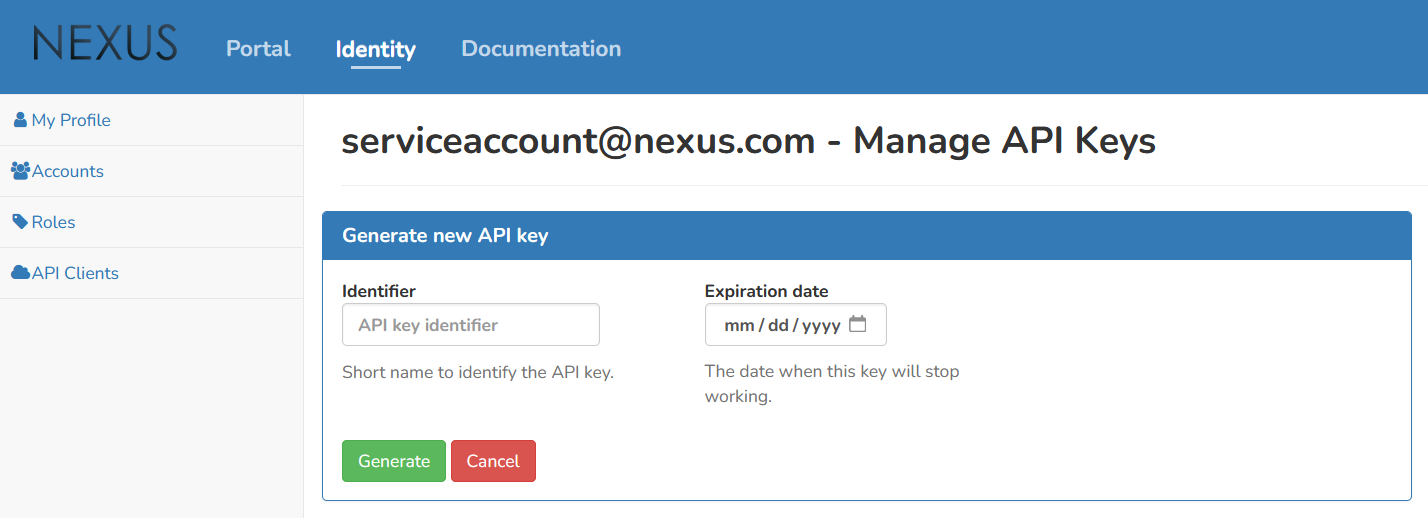
Copy the generated API key immediately. It is your authentication token, and it cannot be retrieved later. If you lose it, you must generate a new one.
Use Bearer token authentication by adding the Authorization header with this token to future API requests.
API endpoint URLs
Nexus offers different environments, each with its own base URL for API calls:
- Test Crypto environment:
https://api.test.casp.quantoznexus.com - Production Crypto environment:
https://api.casp.quantoznexus.com
API date/time format
If you want a single date/time format in responses, include the header request_iso8601: true. Returned date/time values will use the format yyyy-MM-ddTHH:mm:ssZ.