Set up your Nexus instance
Before coding your own application using the Nexus API, configure the settings in the Nexus admin platform. Follow the steps below to complete the initial setup.
Crypto-currencies and internal pricing
Once you have added the desired users (optional), configure the settings for the crypto-currencies you want to support and offer to your customers. Follow these steps:
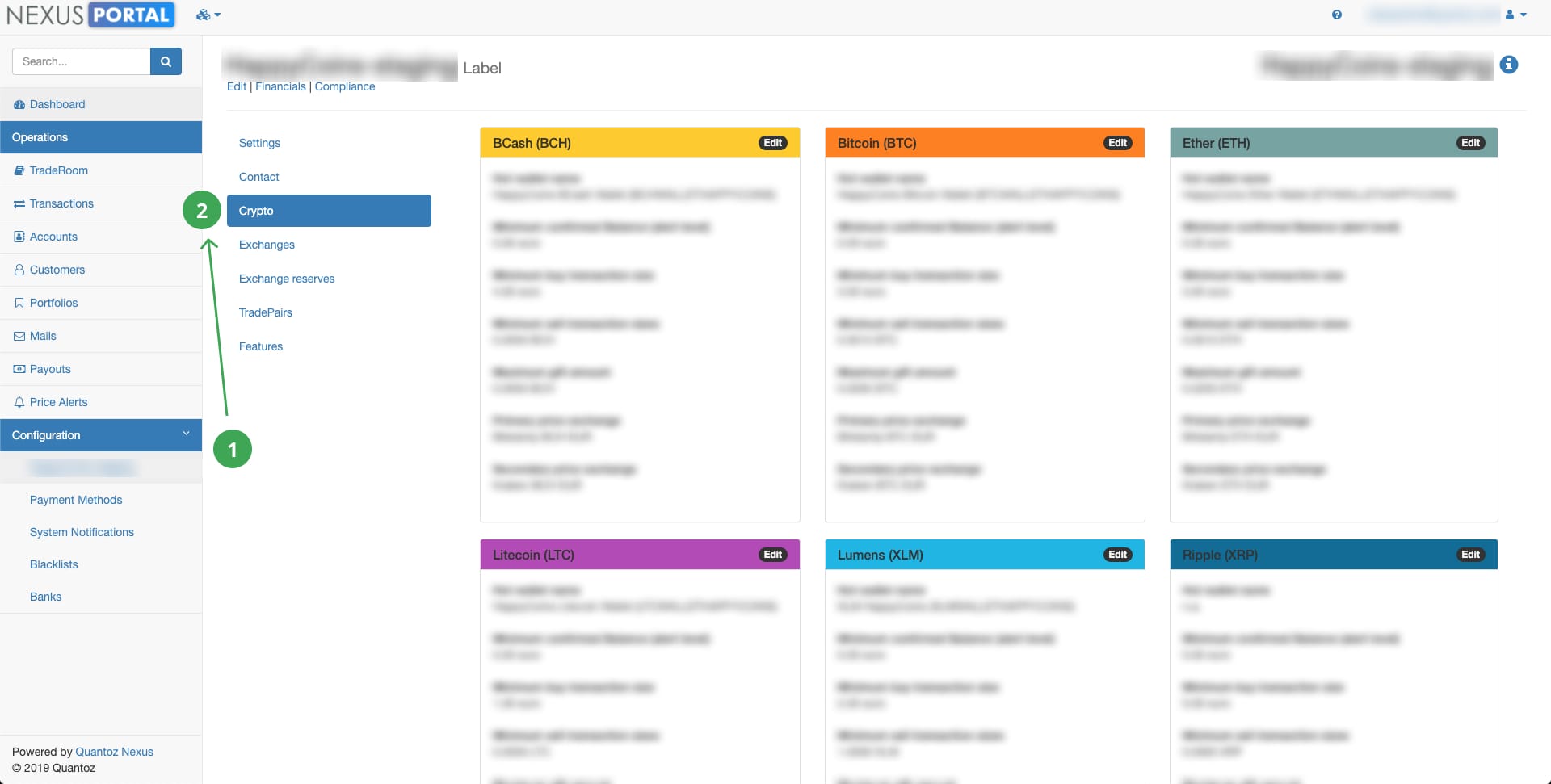
- In the main menu, click on Settings
- Select the Crypto option (see screenshot below).
- Click Edit in the crypto-currency card to access settings that affect transactions for that crypto, such as internal pricing strategy and hot wallet fees.
For more detailed information about these settings, see Crypto-currencies in the knowledge base.
NOTE
For security reasons, only one of our Nexus admins will be able to add new crypto-currencies and hot wallets for you. However, the configuration of their settings is totally up to you.
Payment methods
Nexus allows you to configure multiple payment methods for each currency (fiat and crypto) and transaction type (sell, buy, or gift). For each method, you can manage settings such as service fee percentages and delayed crypto dispatch. If needed, you can also set specific fees per country and individual customer.
On top of these general settings, you can configure advanced options such as PSP IDs, secrets, and callback URLs.
NOTE
New payment methods can currently be added only by a Nexus admin, but you can change all the properties of the existing ones.
Tradebot
Nexus Tradebot can automatically manage hot wallet and exchange reserves.
- In the Broker model, it helps keep enough funds available in the hot wallet to support customer purchases without manual rebalancing.
- In the Custodian model, it helps maintain operational reserve levels while keeping total reserves aligned with customer liabilities.
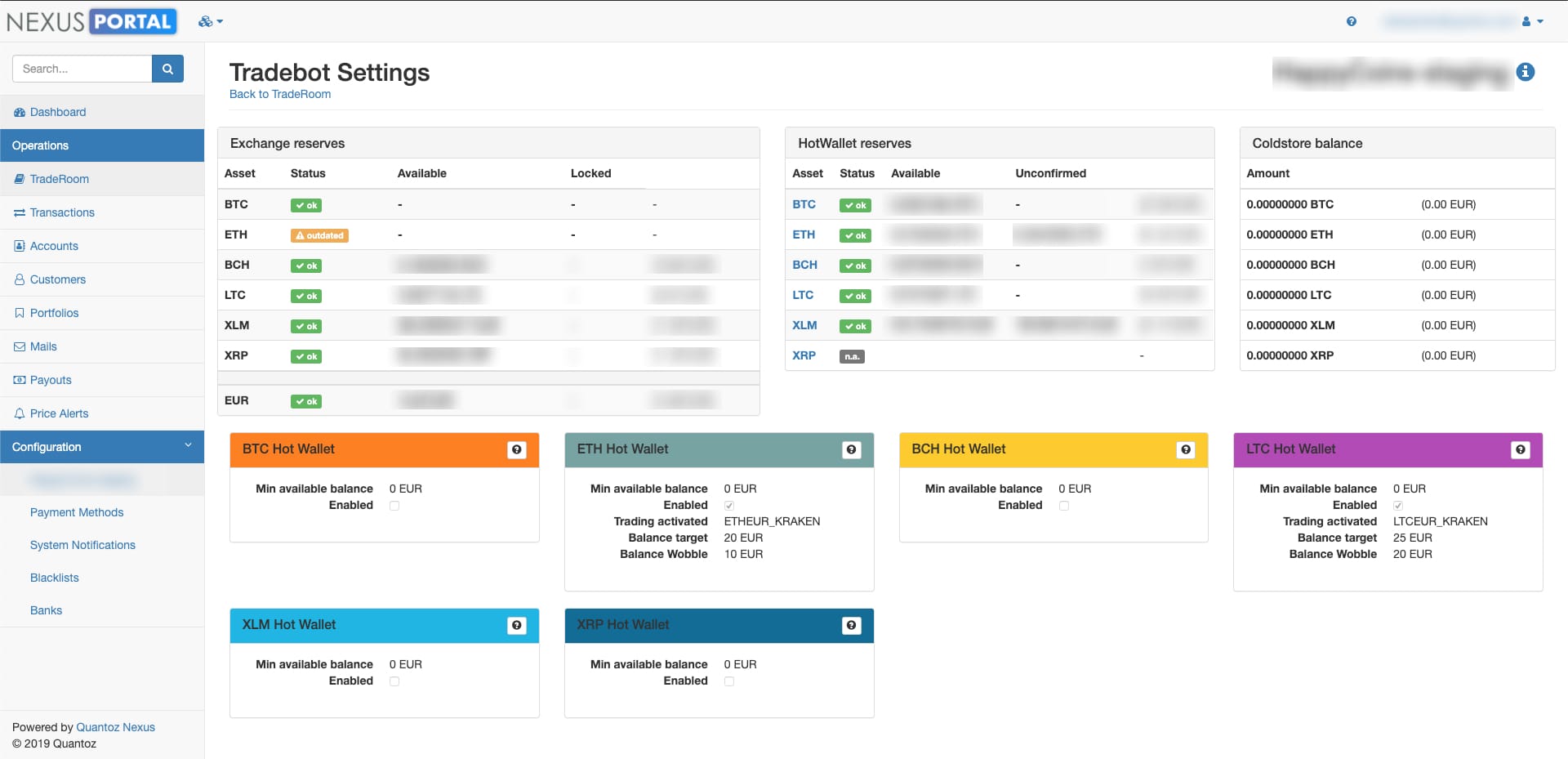
Start with Tradebot overview, then continue with either Tradebot — Broker model or Tradebot — Custodian model based on your business model.
NOTE
You can develop your own logic and trading bots thanks to the Nexus API.